


Biohacking Your Body: Tech That Makes Humans Smarter

The idea of enhancing human abilities has moved out of science fiction and into our everyday lives. Biohacking, a trend that combines biology, technology, and lifestyle optimization, is helping people boost their mental performance, memory, focus, and even creativity. From wearable devices to brain-stimulating gadgets, the tools for biohacking are becoming increasingly accessible. While biohacking doesn’t turn you into a superhuman overnight, it leverages science to help you perform at your best. Whether you’re a student, professional, or just someone curious about human potential, understanding these technologies can open up new ways to sharpen your mind and optimize your body.
Wearable Devices That Track Your Brain
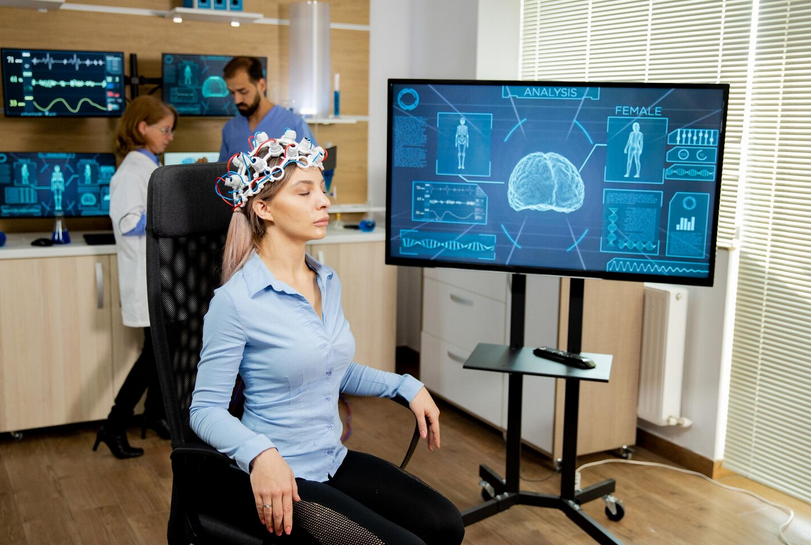
One of the most common biohacking tools is the wearable brain tracker. Devices like EEG headbands monitor brain activity in real time and provide feedback on focus, stress levels, and sleep quality. By understanding how your brain responds to different activities, you can make adjustments to improve concentration and mental clarity. These devices often pair with apps that guide users through exercises designed to enhance focus or reduce anxiety. By tracking patterns, biohackers can identify when they’re most alert or when they need to rest, optimizing daily routines for maximum cognitive output.
Nootropics: Supplements for Mental Performance
Nootropics, often called “smart drugs” or cognitive enhancers, are supplements that aim to improve brain function. Some support memory, attention, or processing speed, while others help reduce mental fatigue. Common nootropics include caffeine, L-theanine, and certain vitamins or herbal extracts. While research is ongoing, many biohackers report noticeable improvements in alertness and focus. However, it’s important to approach nootropics carefully, as effects vary between individuals and quality matters.
Brain Stimulation Gadgets
Technologies like transcranial direct current stimulation (tDCS) and transcranial magnetic stimulation (TMS) are designed to enhance cognitive performance by stimulating specific areas of the brain. These devices use low electrical currents or magnetic fields to encourage neural activity, potentially improving memory, learning, and problem-solving skills. While still a developing field, early studies suggest that targeted brain stimulation may help people train their brains more effectively, making it a powerful tool for biohackers looking to gain an edge in mental performance.
Sleep Optimization Technology
Sleep is one of the most critical factors for brain function, and biohackers are using technology to improve it. Smart mattresses, sleep trackers, and wearable devices monitor sleep cycles and provide insights into sleep quality. By understanding patterns such as deep sleep duration and REM cycles, users can make adjustments to bedtime routines, lighting, and environment to optimize rest. Improved sleep directly impacts memory consolidation, focus, and overall cognitive performance, making sleep tech a cornerstone of biohacking.
Nutrition and Personalized Diets

Another area where technology enhances cognition is through personalized nutrition. Apps and devices can track calorie intake, nutrient balance, and even metabolic rates to provide data-driven dietary recommendations. Some biohackers go further, using DNA testing to identify which nutrients their bodies process best. Proper nutrition supports brain health by fueling neural activity, protecting against cognitive decline, and maintaining energy levels throughout the day.
Meditation and Mindfulness Apps
Mental clarity and stress management are essential for peak performance, and technology can help here, too. Meditation and mindfulness apps guide users through exercises that improve focus, emotional regulation, and resilience to stress. By practicing mindfulness, biohackers can reduce distractions, enhance creative thinking, and improve decision-making. Regular use of these tools complements other biohacking strategies, creating a balanced approach to smarter living.
The Ethics and Limits of Biohacking
While biohacking offers exciting possibilities, it’s important to recognize its limits. Not every technology or supplement works for everyone, and some interventions may have unintended consequences. Ethics also play a role, especially with advanced methods like brain stimulation or genetic interventions. Responsible biohacking focuses on measurable improvements in cognition and health without compromising safety. Understanding both the benefits and risks ensures that biohacking remains a positive and sustainable practice.
Biohacking is transforming the way people think about …





 These music publishing solutions are the backbone of any successful music producer’s operation. This powerful tool streamlines the administrative tasks involved in managing copyrights, publishing agreements, and royalty collection. With just a few minutes, you can register your compositions with performing rights organizations (PROs), monitor global licensing opportunities, and ensure that you receive proper compensation for your creative work. It’s like having a personal assistant who handles all the tedious admin work so that you can unleash your creativity without any distractions.


 Another benefit of using a fast web hosting service is that it can help you make more money. If your website is slow, visitors will likely leave before they have a chance to see what you have to offer. This means that you will miss out on potential customers and sales. A fast web hosting service can help ensure that your website loads quickly and visitors stay on your site long enough to make a purchase.
 Finally, one of the most apparent benefits of using a fast web hosting service is that your website will be faster. A faster website means happier visitors and customers and can help improve your search engine ranking. If you are looking to improve your website’s speed, a fast web hosting service is an essential tool.
 The game is created and distributed by Miniclip, and it’s a fun side-scrolling game. Your goal is to get the stickman over obstacles and past enemies as you head down from high up on your perch. You can jump, so make sure not to miss anything below. It features fast-paced gameplay with



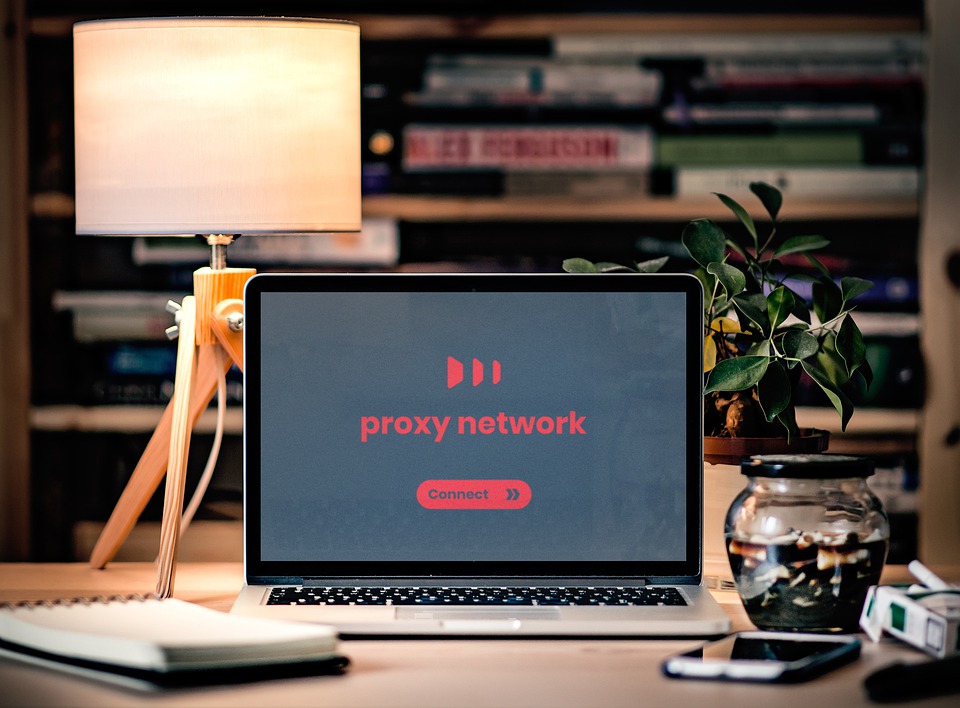
 ISP proxies are servers hosted and supported by an ISP network circuit that offers IP addresses to use. These proxies are hosted on the data centers, and they partner with Internet Service Providers to provide these IP addresses. In other words, you need to understand how it works before you decide to use it.
 Before you decide to use ISP proxies, you need to identify the best features you need to consider in your selection. In reality, ISP proxies tend to be expensive, and it makes no economic sense to use them until there is a justification to start using them. For different proxy cases, you can choose to use residential proxies and datacenter proxies.
 Although the big stories on cyber attacks focus so much on data and the cost implications, they fail to look into one of the most crucial things that also get affected: employee productivity. For instance, if there is an attack, say ransomware, critical files will be inaccessible or unusable on your company’s network. Consequently, the business employees won’t be able to carry out their duties. Unfortunately, the inability to work can have devastating effects on the business.
 One of the significant reasons to invest in cyber security is to protect customers’ information. Top on the list of security threats that businesses face is data leaks. In the unfortunate event that a company is a victim of a cyber-attack, it must bear the burden of the security breach and has to foot court fees and compliance fines. After that, it must initiate a criminal investigation.
 A company’s website is a crucial marketing tool and is one of the cornerstones of 21st-century marketing strategies. Therefore, the site needs to be live 24/7, whether used to promote the business’ products or sell them. Unfortunately, the website is one of the highly targeted things by cyber criminals despite being a crucial marketing and communication channel.





 system that offers solutions for features that are not working as required. An upgrade, on the other hand, is a new version of the operating system or software that comes with major improvements compared to the version you have at the moment. You will get prompts to carry out an update or upgrade on several occasions. Here is why it is essential to carry out a software upgrade.
 computer or the device you will be using. You will find some that are only compatible with specific computer operating systems. Look for one you find best for you. Reviews from various sites will guide you in choosing the best software to use for creating animated content. Using animated videos in marketing or entertainment is useful in so many ways. Here is why you should use them.
 does not want to incur a lot of costs in its product campaigns. Look for an excellent animator who will do a great job for you. If you have the skills, then there is a variety of animation software you can use for the whole process.…